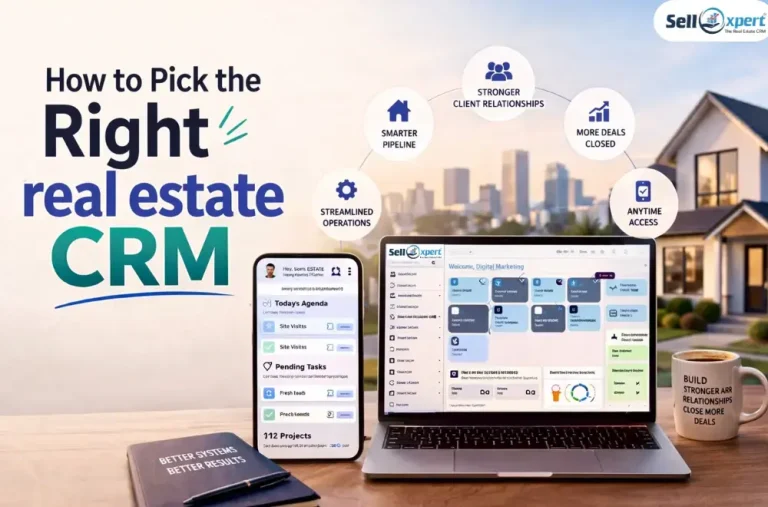
Most real estate developers don’t lose deals because of bad properties or bad prices. They lose them to slow follow-ups, forgotten prospects, and teams working without a shared system.
A CRM promises to fix all of that — but choosing the wrong one, or implementing it badly, can cost you more than it saves.
This guide cuts through the noise so you can make a decision you won’t regret.
This isn’t about working harder. Every serious developer we talk to is already working hard. It’s about working within a structure that makes missed leads, forgotten follow-ups, and invisible pipelines structurally impossible — not just unlikely.
A CRM can be that structure.
But only if you choose the right one for your stage, your team, and your sales process. The market is crowded with options that are either overbuilt for where you are today or too thin to grow with you. Getting this decision right matters.
This guide is built to help you do that. It covers what a real estate CRM actually does (beyond storing contacts), the features that matter by role, a framework for comparing your options, and how to implement one in a way your team will actually use — with the metrics to know whether it’s working.
Who This Guide Is For
Whether you’re just starting out or managing a large firm, this guide is built for you:
Solo Agents: Struggling to manage leads, follow-ups, and site visits alone
Team Leads: Looking to improve team productivity and track performance
Brokerages: Needing structure, compliance, and scalable systems
Different roles. Same goal: Convert more leads into lifelong clients.
Section 1 — Foundations
What a Real Estate CRM Actually Does (Beyond Storing Contacts)
Most people think a CRM is just a contact database.
It’s not.
A modern real estate CRM is a revenue engine that manages your entire client lifecycle:
Lead → Nurture → Site Visit → Negotiation → Close → Referral
Here’s how it works:
- Captures leads from multiple sources (ads, portals, website)
- Automates follow-ups via calls, SMS, WhatsApp, email
- Tracks every interaction with a lead
- Helps prioritize hot vs cold prospects
- Manages post-sale engagement for referrals
In short, it ensures no lead slips through the cracks.
Signs You’ve Outgrown Your Current System
Still relying on excel sheets, sticky notes, whatsapp chats & memory.
Here’s a quick diagnostic checklist:
- You forget to follow up with leads
- You don’t know which leads are hot
- Your team handles leads differently
- You can’t track source-wise performance
- You lose leads when someone leaves your team
If you said “yes” to even 2–3 of these, you’ve already outgrown your system.
Core Benefits (With Real Numbers)
Let’s talk about impact—not features.
Time Saved
Agents save 8–12 hours every week. Less stress. More productivity. No more manual tracking. No chasing reminders. No messy data entry. Everything runs automatically. Your team focuses only on closing deals. Not on repetitive work. This is how smart real estate businesses scale faster.
Conversion Boost
Automated follow-ups boost conversions by 20–30%. More responses. More engagement. Faster replies win deals. Speed builds trust. Delayed response loses opportunities. The quicker you act, the higher your chances of closing. Smart follow-ups turn interest into bookings.
Better Visibility
Know exactly what’s working. No guesswork. See which campaigns bring real results. Identify your top-performing agents instantly. Spot high-converting leads with clarity. Make smarter decisions every day. Scale what works. Fix what doesn’t. Grow faster with data.
ROI Impact
Get more deals from the same lead pool. No extra spend. Just better results. Reduce your cost per acquisition. Spend less. Earn more. Increase lifetime customer value. Turn one deal into many opportunities. Build long-term relationships. Grow smarter, not harder.
Section 2 — Features That Matter
Must-Have Features by Role
For Solo Agents
Capture every lead automatically. No missed opportunities. Set smart follow-up reminders. Stay on track, every time. Access your CRM anytime, anywhere. Work on the go. Connect seamlessly with WhatsApp and email. Keep every conversation in one place. Simple. Fast. Powerful.
For Team Leads
Auto-assign leads instantly. No delays. No confusion. Track agent performance in real time. Know who’s closing. Monitor every call and recording. Nothing gets missed. Get full pipeline visibility. See every deal, every stage. Stay in control. Close faster.
For Brokerages
Manage multiple projects with ease. Everything in one place. Set role-based access for your team. Right data, to the right people. Use advanced dashboards for clear insights. No blind spots. Stay compliant and secure. Protect your data at every step. Scale confidently.
Must-have Integrations
Your CRM should connect with every place your leads come from—automatically.
- Property portals:All inquiries flow directly into your CRM. No manual entry. No missed leads.
- Website: Every form fill, chat, or call gets captured instantly. You respond faster and track everything.
- Ad platforms (Meta Platforms, Google, LinkedIn): Leads from your ads land straight into your CRM in real time. You can track which campaigns are actually converting.
In short: All your lead sources connect in one place—so you never lose a lead and always act faster.
What to Look For:
Your CRM should handle leads instantly and intelligently.
Real-time lead syncing: Every lead comes into your CRM immediately. No delays. No missed chances.
Auto lead assignment: Leads are instantly assigned to the right agent. Faster response. Better conversions.
Source tracking: Know exactly where each lead came from. Make smarter marketing decisions.
What breaks often: Delayed lead sync slows down response time. Duplicate entries create confusion. Missing source data kills your insights.
What to avoid: Manual lead entry wastes time and causes errors. CRMs without API integrations fail to connect your entire ecosystem.
In short: Speed, accuracy, and automation decide whether you win or lose deals.
AI Features in Real Workflows (Not Just Buzzwords)
AI in CRM isn’t hype—if used correctly.
Real Use Cases:
- AI Property Descriptions
Generate compelling listings in seconds - Predictive Seller Identification
Identify homeowners likely to sell based on behavior - Call Summaries
Automatically summarize conversations and extract action points - Lead Scoring
Prioritize leads based on intent and engagement
AI helps you focus on high-value activities, not repetitive tasks.
Section 3 — Choosing the Right CRM
The CRM Decision Framework
Use this simple matrix:
| Factor | Consideration |
| Budget | Monthly vs long-term ROI |
| Team Size | Solo vs multi-agent |
| Lead Sources | Ads, portals, website referrals |
| Integration Needs | Call tracking, Magicbricks, 99acres, ads, website |
This helps you filter options quickly instead of getting overwhelmed.
Top CRM Platforms — Categorized
Best for Solo Agents
Designed for individual real estate professionals, these CRM platforms focus on simplicity, affordability, and mobility—offering an easy-to-use interface, cost-effective plans, and mobile-first features to manage leads and deals on the go.
Best for Teams
Built for growing real estate teams, these CRM platforms offer powerful automation, smart lead distribution, and detailed performance tracking—helping managers streamline operations and boost team productivity at scale.
Best for Commercial Real Estate
Tailored for complex, high-value deals, these CRM platforms excel at detailed deal tracking, managing long sales cycles, and offering customizable pipelines—ensuring every stage of the transaction is organized and under control.
Best for Portal-Heavy Users
Tailored for complex, high-value deals, these CRM platforms excel at detailed deal tracking, managing long sales cycles, and offering customizable pipelines—ensuring every stage of the transaction is organized and under control.
Specialist vs General-Purpose CRMs
Specialist (Real Estate-Focused)
A specialist CRM is built only for real estate businesses, so it already understands your day-to-day sales process—like handling property inquiries, site visits, bookings, and follow-ups.
Pros explained:
- Built for real estate workflows
These CRMs are designed around how real estate sales actually happen—lead inquiries, site visits, negotiations, and closures—so you don’t have to customize much. - Ready-made pipelines
You get pre-built sales stages like New Lead → Site Visit → Negotiation → Booking, which saves time and ensures your team follows a structured process. - Faster setup
Since everything is already tailored to real estate, you can start using the CRM quickly without spending weeks configuring it.
Cons explained:
- Limited flexibility
Because it’s designed specifically for real estate, it may not adapt easily if:- You have a unique sales process
- You expand into other businesses
- You need heavy customization or integrations beyond real estate use cases
Higher cost in some cases
Specialist CRMs can sometimes be more expensive than general-purpose tools because:
- They include industry-specific features like property management, site visit tracking, and broker workflows
- They often require advanced integrations (property portals, marketing tools, etc.)
- Pricing can scale based on users, features, and data, making it a bigger investment as you grow
In contrast, general CRMs are usually more affordable because they offer basic, generic features without real estate-specific modules
General-Purpose (Flexible Platforms)
General-purpose CRMs are designed to work across multiple industries—not just real estate. Think of them as blank canvases that you can shape according to your business needs.
Pros explained:
- Customizable
These platforms allow you to design your own workflows, pipelines, and dashboards.
For real estate, you can create stages like Lead → Site Visit → Negotiation → Booking exactly the way your team operates. - Scalable across industries
If your business expands beyond real estate (e.g., into construction, consulting, or rentals), a general CRM can adapt easily.
You won’t need to switch systems as your business model evolves. - Often more affordable
Most general CRMs offer flexible pricing plans, including entry-level or freemium options.
You only pay for the features you need, making them budget-friendly for startups and growing teams.
Cons explained:
- Requires setup effort
Unlike real estate-specific CRMs, nothing comes pre-built.
You’ll need time (and sometimes expert help) to:- Create pipelines
- Set up automation
- Configure lead stages and workflows
- Needs customization for real estate use
Since it’s not built specifically for real estate, you’ll have to manually adapt it for:- Property tracking
- Site visit scheduling
- Broker/agent management
- Inventory and project mapping
- Without proper customization, it may feel like a generic tool that doesn’t fully support your sales process.
Verdict:
- Want speed and simplicity? → Go specialist
(Best for teams who want quick implementation and ready-made workflows) - Want flexibility and long-term scalability? → Go general-purpose
(Best for businesses that want full control and plan to scale or diversify)
Simple takeaway:
A general-purpose CRM is like building your own house—it takes more time and effort in the beginning, but gives you complete control and flexibility as your business grows.
Section 4 — Implementation & Measurement
How to Migrate from Spreadsheets to a CRM
Moving from spreadsheets to a CRM is about organizing your data and setting up a structured sales process.
Step-by-step:
- Audit Your Data
Review your existing data—remove duplicates and organize contacts so only clean, useful information is moved. - Define Pipeline Stages
Create clear sales stages like New Lead → Contacted → Site Visit → Negotiation → Closed to track every deal properly. - Import Data
Upload your cleaned data into the CRM using a CSV file for quick and bulk transfer. - Set Automations
Automate routine tasks like follow-ups, lead assignment, and notifications to save time and avoid missed opportunities. - Test Before Going Live
Run a quick test to ensure everything—data, workflows, and automations—is working smoothly before your team starts using it.
Simple takeaway:
It’s not just a data transfer—it’s about transforming messy spreadsheets into a structured, automated sales system.
Getting Your Team to Actually Use It
This is where most CRM implementations fail—not because the software is bad, but because the team doesn’t use it properly.
Why does this happen?
Because tools don’t fail—adoption does.
If your team continues using WhatsApp, calls, or personal notes instead of the CRM, even the best system becomes useless.
How to Fix It:
- Training Sessions (Hands-on, not theoretical)
Don’t just explain features—show your team exactly how to use the CRM in their daily work.
Run live demos like:- How to add a new lead
- How to update follow-ups
- How to move deals across stages
- The more practical the training, the faster the adoption.
- Set Daily Usage Rules
Make CRM usage non-negotiable.
Create a simple rule: “If it’s not in the CRM, it didn’t happen.”
This ensures:- Every lead is recorded
- Every follow-up is tracked
- No deal slips through the cracks
- Role-Based Access
Give people access based on their responsibilities:- Agents → View and manage assigned leads
- Managers → Track team performance, reports, and conversions
- This keeps the system clean, relevant, and easy to use for everyone.
- Incentives + Accountability
Encourage usage by linking it to performance:- Track follow-ups, conversions, and response time via CRM
- Reward top performers who use the system effectively
- Hold team members accountable for missing updates or inactive leads
- When the CRM becomes part of performance reviews, adoption increases naturally.
Pro Tip:
Start with a small group (pilot team), get them comfortable, and then roll it out to the entire organization. Early success builds trust and reduces resistance.
Simple takeaway:
A CRM only works when your team uses it daily. Make it easy, mandatory, and rewarding—and adoption will follow.
Setting Up Your First Pipeline (Example)
Your sales pipeline is the backbone of your CRM. It gives your team a clear, step-by-step path to move every lead from inquiry to closure.
A well-defined pipeline ensures:
- No lead gets ignored
- Every follow-up is tracked
- Managers have full visibility on deal progress
A Simple Real Estate Pipeline:
- New Lead
Every fresh inquiry from ads, portals, or referrals lands here.
Goal: Respond quickly and qualify the lead. - Contacted
The first interaction (call/WhatsApp/email) has been made.
Goal: Understand requirements and build initial interest. - Interested
The lead has shown genuine interest in your project.
Goal: Share details, brochures, pricing, and move toward a site visit. - Site Visit Scheduled
The lead has agreed to visit the property.
Goal: Ensure the visit happens and deliver a strong on-ground experience. - Negotiation
Pricing, offers, or terms are being discussed.
Goal: Address objections and close the deal. - Closed/Won
The deal is successfully converted into a booking.
Goal: Ensure smooth documentation and handover. - Lost
The lead didn’t convert.
Goal: Capture the reason (price, location, delay, etc.) for future improvement.
Enhance Your Pipeline with:
- Custom Fields
Add important data points to every lead, such as:- Budget
- Preferred location
- Property type (plot, flat, commercial)
This helps your team personalize conversations and filter high-quality leads.
- Automations
Reduce manual work and ensure consistency:- Auto follow-up reminders
- Instant lead assignment to sales reps
- Notifications for pending tasks
Result: Faster response and zero missed opportunities.
- Views (Smart Filters & Dashboards)
Organize your pipeline for better daily execution:- Daily Tasks View → What needs action today
- Hot Leads View → High-intent prospects
- Stuck Deals View → Leads not moving forward
This helps both agents and managers focus on what matters most.
Pro Tip:
Keep your pipeline simple in the beginning. Avoid adding too many stages—clarity and usability are more important than complexity.
Simple takeaway:
A well-structured pipeline turns your CRM into a predictable sales machine—where every lead follows a clear journey toward conversion.
Measuring CRM Performance: The Metrics That Matter
Implementing a CRM is just the first step—what really matters is how well it’s performing.
These key metrics (KPIs) help you understand whether your CRM is actually improving your sales.
Key KPIs explained:
- Lead Response Time
This measures how quickly your team responds to new leads. The faster you respond, the higher your chances of conversion. In real estate, even a delay of a few hours can mean losing a hot lead.
- Conversion Rate (by source)
This tells you how many leads turn into actual deals—and where they came from.
Example: Facebook Ads vs Property Portals vs Referrals
This helps you:- Identify high-performing channels
- Stop wasting money on low-quality leads
- Invest more in what works
- Pipeline Velocity
This measures how quickly deals move through your sales pipeline—from inquiry to closure.
Faster movement = better efficiency and quicker revenue
If deals are getting stuck, it signals:- Poor follow-ups
- Weak sales processes
- Team inefficiencies
- Referral Rate
This shows how many of your customers are referring new clients.
A high referral rate = happy customers + strong brand trust
It’s a key indicator of long-term success, not just short-term sales.
Conclusion
Real estate isn’t just about properties. It’s about relationships. And relationships don’t grow on memory—they grow on systems. A CRM isn’t an expense. It’s your competitive advantage. Start early. Use it right. And turn every lead into a lifelong opportunity. Want to learn more book a call with our expert.

