
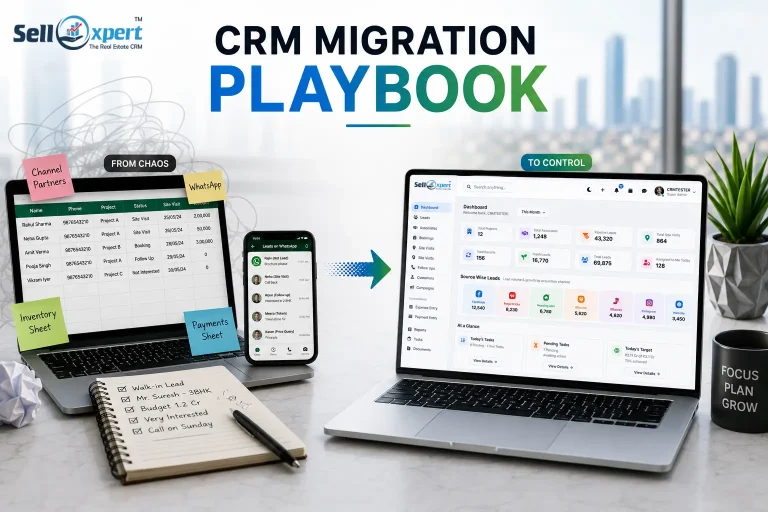
Every real estate business in India eventually hits the same wall.
You started with Excel sheets shared over WhatsApp. Then maybe you bought a CRM two years ago because a sales consultant told you to. It looked good in the demo. Six months in, your team stopped updating it, went back to Excel and WhatsApp, and now you’re sitting on three different “sources of truth” — none of which agree with each other.
Everyone online will tell you which CRM to buy. Almost nobody tells you how to actually move your data, your team’s habits, and your ongoing deals from one system to another without breaking something important. That’s the part that actually scares business owners — not the CRM itself, but the migration.
This is that missing playbook.
Why Real Estate CRM Migrations Are Riskier Than Most
In most industries, a CRM holds contact details and deal stages. In Indian real estate, your CRM (or spreadsheet) is holding a lot more:
- Site visit history going back years
- Booking amounts, payment schedules, and part-payments received in cash, cheque, and UPI across different sites
- Channel partner commission records
- RERA-linked project and unit inventory
- Post-sales documentation — allotment letters, possession dates, NOCs
- WhatsApp and call logs your telecallers rely on for follow-ups
Lose any of this during a switch, and it’s not just an inconvenience — it’s a client dispute waiting to happen. This is exactly why so many real estate businesses stay stuck with a CRM they’ve outgrown. The fear of migration is bigger than the frustration with the current system.
Step 1: Audit Before You Touch Anything
Before you migrate a single row, list out every place your data currently lives. For most Indian real estate businesses, this typically includes:
- The main sales tracker (Excel or Google Sheets)
- A separate inventory sheet maintained by the accounts or site team
- WhatsApp Business chats with active leads
- The existing CRM, if there is one
- Channel partner registers, often maintained manually by a supervisor
Don’t skip the “unofficial” sources. The senior salesperson who keeps a personal notebook of hot leads is a data source too. If you don’t account for it, it walks out the door when they eventually do.
Step 2: Clean Before You Migrate, Not After
This is where most migrations go wrong. Businesses export their spreadsheet as-is and dump it into the new real estate CRM, duplicates and all. Then they spend the next three months “cleaning up the new system” — which defeats the entire purpose of switching.
Clean first:
- De-duplicate leads. In Indian real estate, the same lead often comes in through a Facebook ad, a walk-in, and a channel partner reference — three separate entries for one person.
- Standardise phone numbers. +91 formatting inconsistencies are one of the most common reasons automated WhatsApp and IVR integrations fail after migration.
- Tag lead status honestly. Don’t carry forward “hot lead” tags from 2023 into your new system. Re-qualify before you migrate, not after.
- Separate active deals from dead ones. Archive rather than delete — you’ll want this history for reporting later.
Step 3: Migrate in Layers, Not All at Once
A common mistake is trying to move everything — leads, inventory, payments, channel partners — in one weekend. Instead, migrate in this order:
- Master data first — projects, unit inventory, pricing, floor plans
- Active leads and ongoing deals — the pipeline your team is working right now
- Historical/closed data — past customers, for reference and post-sales support
- Channel partner records — commissions, agreements, performance history
This layered approach means your sales team can start using the new CRM for live deals almost immediately, while historical data migration happens in the background without holding up daily operations.
Step 4: Run Both Systems in Parallel — But Set an Expiry Date
Don’t switch off your old spreadsheet or CRM the day you go live on the new one. Run both in parallel for 2–3 weeks, but be strict: pick a hard cutover date and communicate it clearly to the team. Parallel running without an expiry date is how businesses end up maintaining two systems forever, which is the exact problem you were trying to solve.
Step 5: Migrate the People, Not Just the Data
This is the step almost nobody talks about, and it’s the one that determines whether your migration actually succeeds.
Your telecallers and site sales executives have workflows baked into muscle memory — how they log a site visit, how they mark a follow-up, how they note a token amount received. If the new CRM doesn’t match how they already think about their day, they’ll quietly go back to WhatsApp within a month, no matter how good the software is.
This is why, at Sellxpert, migration support isn’t treated as a one-time data export-import job. Our onboarding is built around how Indian real estate sales teams actually work day-to-day — from how a Pre-Sales executive logs an inbound enquiry, to how a site team records a visit, to how a Post-Sales team tracks a payment milestone. The goal during migration isn’t just “did the data move,” it’s “did the team’s daily routine survive the switch.”
Step 6: Verify Before You Celebrate
Before declaring the migration complete, check:
- Do lead counts match between the old and new system?
- Are payment records reconciling correctly against your accounts records?
- Can your channel partners log in and see their correct commission history?
- Does the Customer App (if you’re using one) correctly reflect each buyer’s payment and possession status?
Only once these check out should you fully retire the old system.
The Real Cost of Getting This Wrong
A botched CRM migration doesn’t just cost you time. It costs you leads that fall through the cracks during the transition, channel partners who lose faith in your commission tracking, and a sales team that reverts to spreadsheets the moment things get inconvenient. In Indian real estate, where trust and relationships drive repeat business and referrals, that’s an expensive mistake to make.
The switch itself isn’t the hard part — spreadsheets export easily enough. What’s hard is doing it in a way that your team, your channel partners, and your customers never notice the change happened at all, except that things suddenly work better.
That’s the actual goal of a CRM migration: not a new system, but a smoother business.
Thinking about moving off spreadsheets or switching from a CRM that isn’t working for your real estate business? Book a free demo with Sellxpert, and we’ll walk you through exactly how migration works for teams like yours.